
other
Statutory Declaration of Revocation of Authorization
Free template from Minute Notary, an Ontario notary office. A sworn declaration revoking an authorization or consent you previously gave — used to formally end someone’s authority to act for you. Fill it in online, download a ready-to-sign PDF, and notarize in Ontario.
No charge until a notary signs it
Word files are editable. Review any changes carefully before signing or uploading.
Also known as
- Revocation of Consent
- Notice of Revocation Declaration
- Withdrawal of Authorization Affidavit
+1 more names
- Sworn Revocation of Authority
The blanks fill themselves in as you type.
- Scope
- General template, not legal advice
- Formats
- PDF + editable Word downloads
- Builder
- Live preview as you type
Document progress
1 of 7 fields complete
Drafts stay in this browser.
Avoid saving personal information on a shared or public device.
Recommended. Work through one section at a time.
Your full legal name*
Your full address*
Download now or complete it to use for booking.
1 of 5 required fields complete for booking.
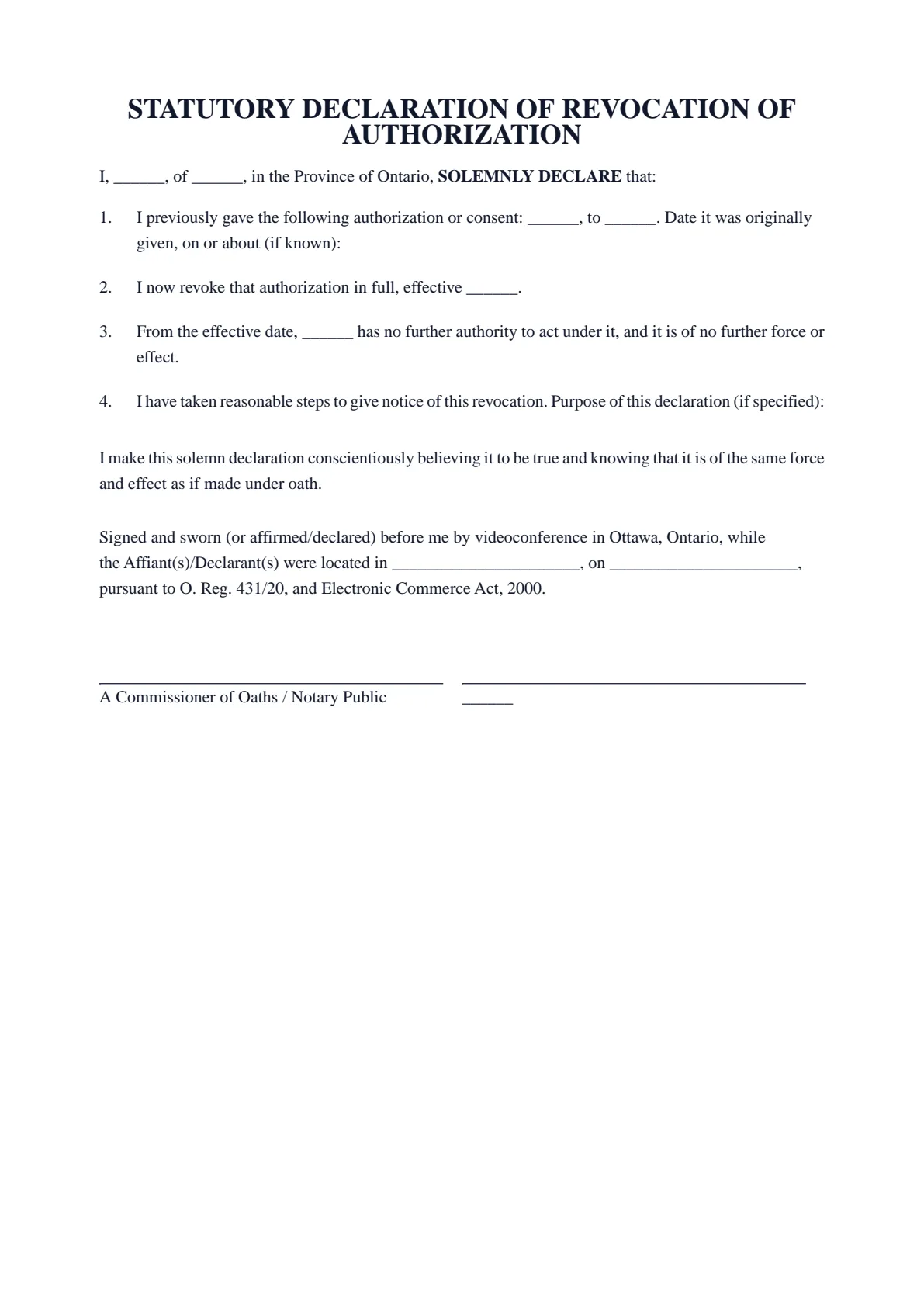
STATUTORY DECLARATION OF REVOCATION OF AUTHORIZATION
I, ______, of ______, in the Province of Ontario, SOLEMNLY DECLARE that:
I previously gave the following authorization or consent: ______, to ______. Date it was originally given, on or about (if known):
I now revoke that authorization in full, effective ______.
From the effective date, ______ has no further authority to act under it, and it is of no further force or effect.
I have taken reasonable steps to give notice of this revocation. Purpose of this declaration (if specified):
I make this solemn declaration conscientiously believing it to be true and knowing that it is of the same force and effect as if made under oath.
Signed and sworn (or affirmed/declared) before me by videoconference in Ottawa, Ontario, while the Affiant(s)/Declarant(s) were located in ______________________, on ______________________, pursuant to O. Reg. 431/20, and Electronic Commerce Act, 2000.
A Commissioner of Oaths / Notary Public | ______ |
- 01Work your wayGuided or All fieldsFinish one section at a time, or see every question in one form.
- 02See the resultLive document previewWatch this document update as you add each answer.
- 03Keep your placeSave and restore a draftSave progress in this browser, then restore it later on this device.
How it works
Prepare your document, one step at a time.
Answer the questions, choose the download you need, then continue with signing or booking.
Overview
About this document
- 02
When you might need one
It is used to end an authority you gave.
- You want to end someone’s authority to act for you.
- An organization asks for sworn proof that a prior consent is withdrawn.
- You must set a clear date on which the authorization stops.
- 03
Good to know
A revocation is most effective once the person or organization is told, so give them notice as well; this declaration records it. A power of attorney usually has its own revocation requirements — for one of those, follow those rules and consider legal advice.
Good to know
Before you fill it in.
Short notes on this template. Worth a minute before you start.
- 01
Prepared for use in Ontario. A general template, not legal advice.
- 02
Fill it in online for free and download a ready-to-sign PDF — no account required.
- 03
Sign in front of the notary, who administers your oath or affirmation and applies the seal.
- 04
Notarize online by video across Ontario, or in person anywhere in Ontario.
Frequently asked
Questions about the Statutory Declaration of Revocation of Authorization
- What is a revocation of authorization for?
- To cancel an authorization or consent you gave earlier and provide dated proof that a person or organization no longer has your authority to act.
- Do I need to notify the other party?
- Yes. A revocation is most effective once they are told. This declaration records it, but you should still give notice.
- Does this revoke a power of attorney?
- A power of attorney usually has its own revocation requirements; follow those and consider legal advice for one of those documents.
- Can I notarize it online in Ontario?
- Yes. You can swear it online by video under Ontario’s remote commissioning rules, or in person anywhere in Ontario with Minute Notary.
Keep exploring
Related templates
Other documents for general affidavits & sworn statements.
- 01Statutory Declaration of Surrender of a Document
A sworn declaration confirming that you have surrendered, returned, or given up a document — used to confirm it is no longer in your possession or use. Fill it in online, download a ready-to-sign PDF, and notarize in Ontario.
Fill it out - 02Statutory Declaration of Value of Goods
A sworn declaration of the fair value of goods — for an insurer, carrier or other party that asks you for a sworn statement of value. Fill it in online, download a ready-to-sign PDF, and notarize in Ontario.
Fill it out - 03Statutory Declaration to Correct an Error in a Record
A sworn declaration identifying an error in an official record and stating the correct information — used to support a request to correct a registration or record. Fill it in online, download a ready-to-sign PDF, and notarize in Ontario.
Fill it out - 04Statutory Declaration of Sole Support Parent
A sworn declaration that you are the sole-support parent of your child or children — used to support benefit, credit, or program applications. Fill it in online, download a ready-to-sign PDF, and notarize in Ontario.
Fill it out
Ready to sign?
Ready to create your Statutory Declaration of Revocation of Authorization?
Fill it in online, then download a ready-to-sign PDF or an editable Word copy. Use the generated PDF to continue to booking. Not sure what the appointment involves? Read about the Statutory Declarations service first.